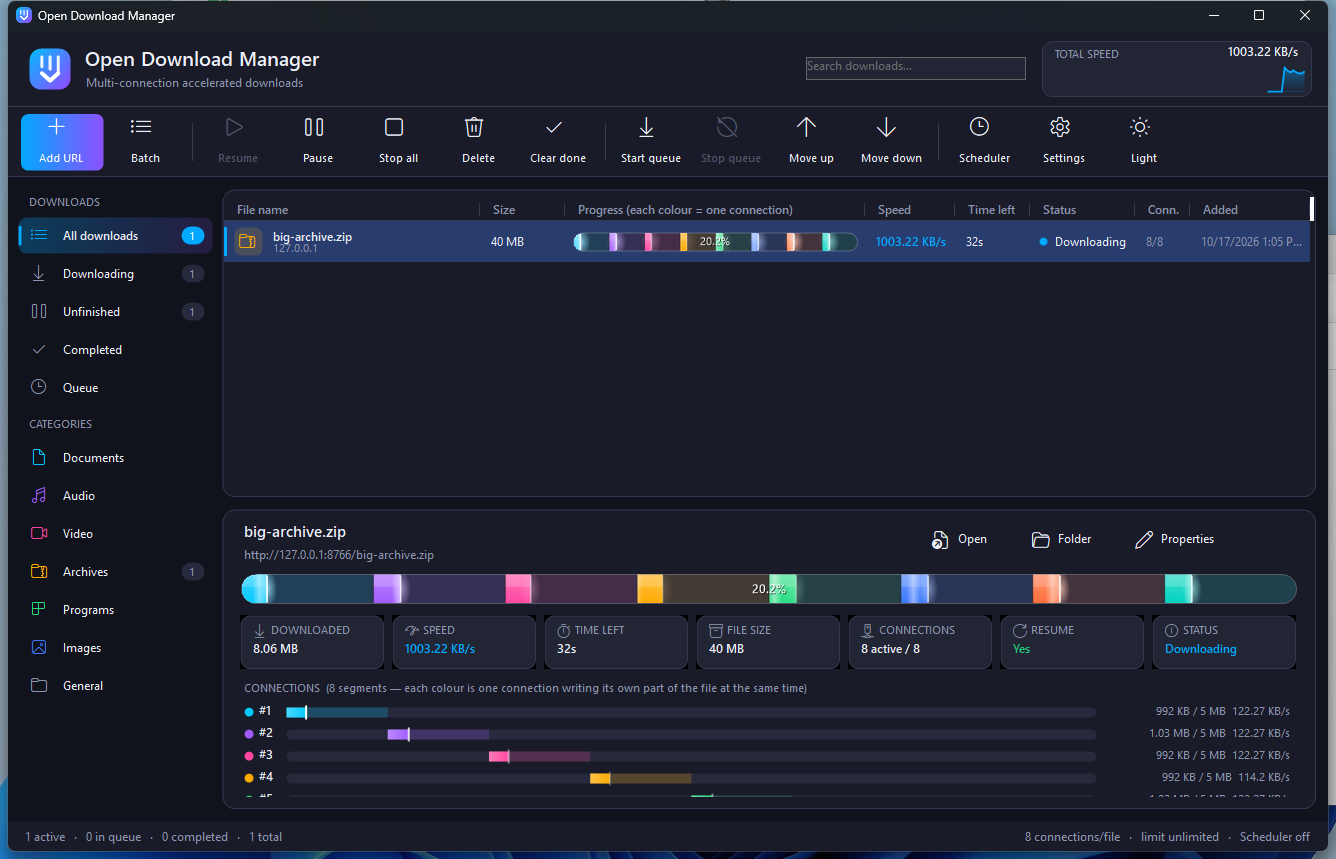
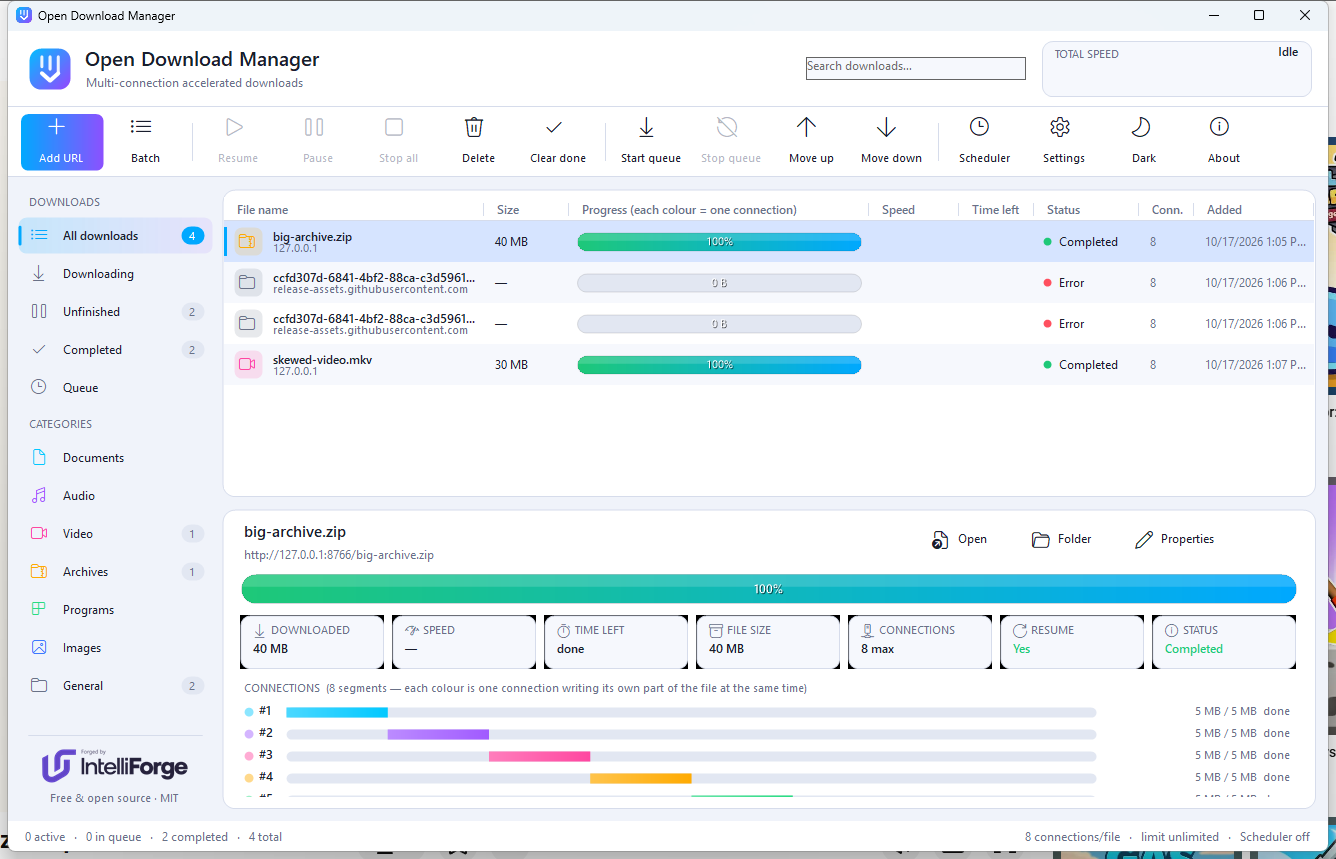
Open Download Manager splits each download into parallel connections and lets you watch every one of them fill its own part of the file — live, in colour, on a single bar.
Everything you expect from a serious download manager, with a clear view of what every connection is doing.
Files are split into byte ranges that download in parallel, then join into one file — byte-perfect.
Each connection gets its own colour and a glowing write-head, so you see exactly where the bytes are landing.
Progress is saved every few seconds. Close the app, lose power or reboot — downloads continue where they stopped.
When a connection finishes early it takes over half of the slowest one's remaining range — no idle connections at the end.
Add files for later, start the queue at midnight, stop at 7 a.m., limit how many run at once, shut down when done.
Documents, video, audio, archives, programs and images go to their own folders automatically, by file type.
Paste, drag & drop, clipboard monitoring, batch import from text files, or the command line.
Global bandwidth cap, retry limits, timeouts, custom user agent, system or manual proxy with authentication.
A modern UI with a live total-speed graph, tray icon, notifications and configurable columns.
Many servers limit the speed of a single connection. Asking for different parts of the same file at the same time adds those limits together.
ODM asks the server for the file size and whether it accepts byte-range requests.
The file is divided into ranges — one per connection — and space is reserved on disk.
Every connection writes straight into its own part of the file. Idle ones help the slowest.
When every range is complete the file is renamed into place, with the server's timestamp.
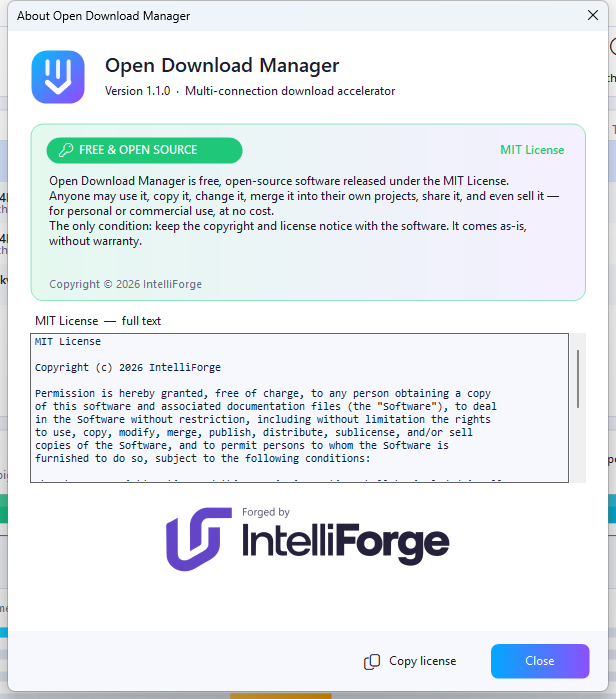
Open Download Manager is released under the MIT License — one of the most permissive open-source licenses there is.
MIT License

Copyright (c) 2026 IntelliForge

Permission is hereby granted, free of charge, to any person obtaining a copy
of this software and associated documentation files (the "Software"), to deal
in the Software without restriction, including without limitation the rights
to use, copy, modify, merge, publish, distribute, sublicense, and/or sell
copies of the Software, and to permit persons to whom the Software is
furnished to do so, subject to the following conditions:

The above copyright notice and this permission notice shall be included in all
copies or substantial portions of the Software.

THE SOFTWARE IS PROVIDED "AS IS", WITHOUT WARRANTY OF ANY KIND, EXPRESS OR
IMPLIED, INCLUDING BUT NOT LIMITED TO THE WARRANTIES OF MERCHANTABILITY,
FITNESS FOR A PARTICULAR PURPOSE AND NONINFRINGEMENT. IN NO EVENT SHALL THE
AUTHORS OR COPYRIGHT HOLDERS BE LIABLE FOR ANY CLAIM, DAMAGES OR OTHER
LIABILITY, WHETHER IN AN ACTION OF CONTRACT, TORT OR OTHERWISE, ARISING FROM,
OUT OF OR IN CONNECTION WITH THE SOFTWARE OR THE USE OR OTHER DEALINGS IN THE
SOFTWARE.
| Operating system | Windows 10 or 11, 64-bit |
| Runtime | Included — nothing else to install |
| Disk space | About 110 MB |
| Protocols | HTTP and HTTPS (range requests for multi-connection) |
| Built with | VB.NET · Windows Forms · .NET 9 |
/d URL | Download a file |
/p PATH | Save to this folder |
/f NAME | Save under this file name |
/a | Add to the queue without starting |
/n | Silent — no dialog |
/s | Start the queue |
/q | Exit after the download finishes |
Free forever. No ads, no bundled software, no account.
The installer is not code-signed yet — if Windows SmartScreen appears, click “More info” → “Run anyway”.184df5beca612e284e7007030ca110671b61d58f06b9aeb98cccebb83184c81b